
Doctor Website Development
A practice website builds trust before the first visit. Specialty, qualifications, services in plain language, photos of the premises, access and online booking, on a page that is fast, accessible and compliant with the GDPR and medical ethics.

Doctor website development is the design of a page that answers, in two minutes and on a phone, the questions every patient has before booking: who the doctor is, what exactly they do, where the practice is, when it is open, how much the trip costs in time and effort, and how to book without waiting on the phone. Everything else, speed, schema, GDPR, accessibility, exists to make that work.
The patient who lands on your page has already seen the Google Business Profile and two or three reviews. They are not there to be convinced you are a good doctor. They are there to confirm that you are the doctor they need (the specialty and the examination they are looking for), that the practice is accessible for them, and that booking is easy. If they have to hunt for the phone number in a footer with grey text, they will go back to the map and call the next practice.
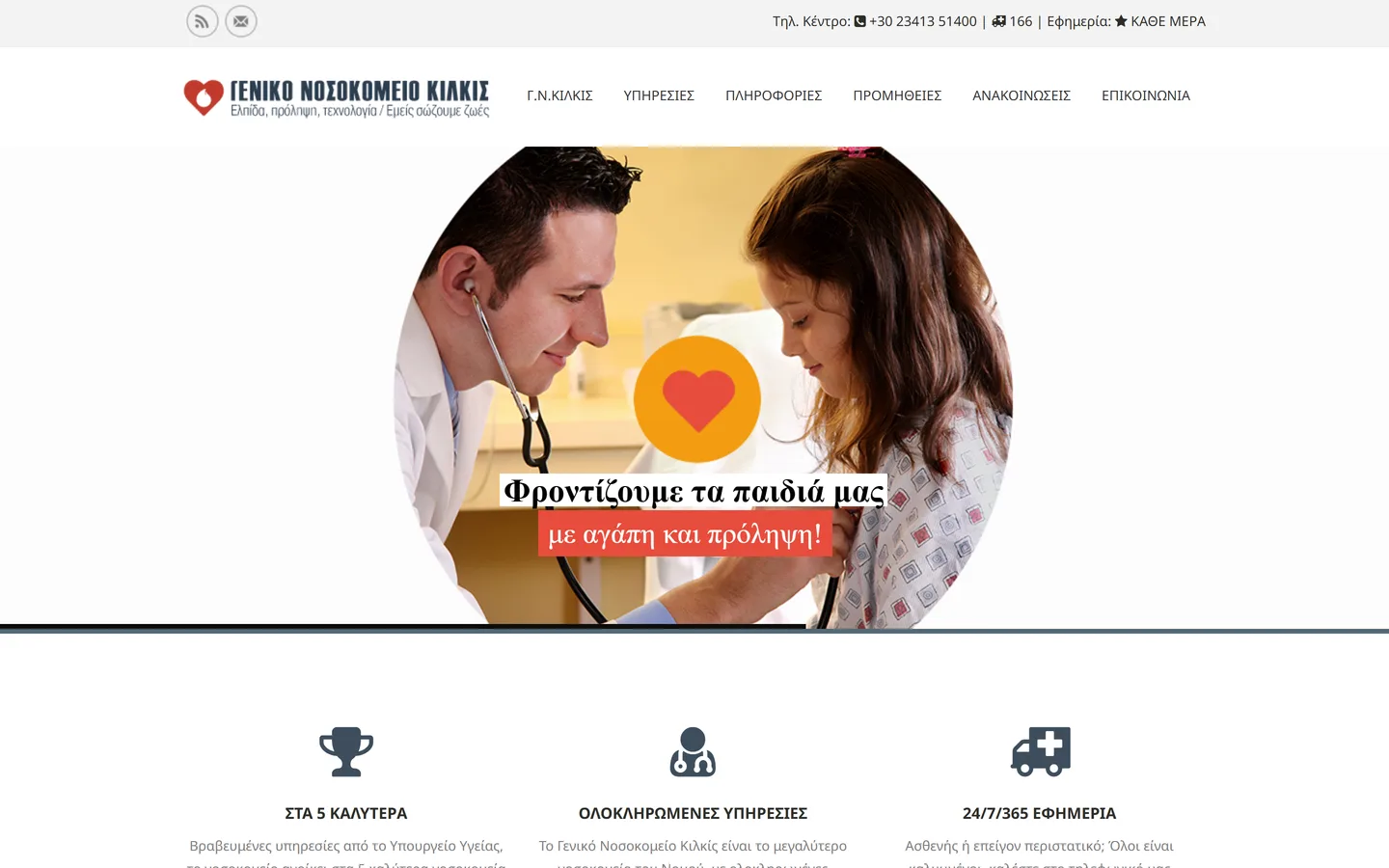
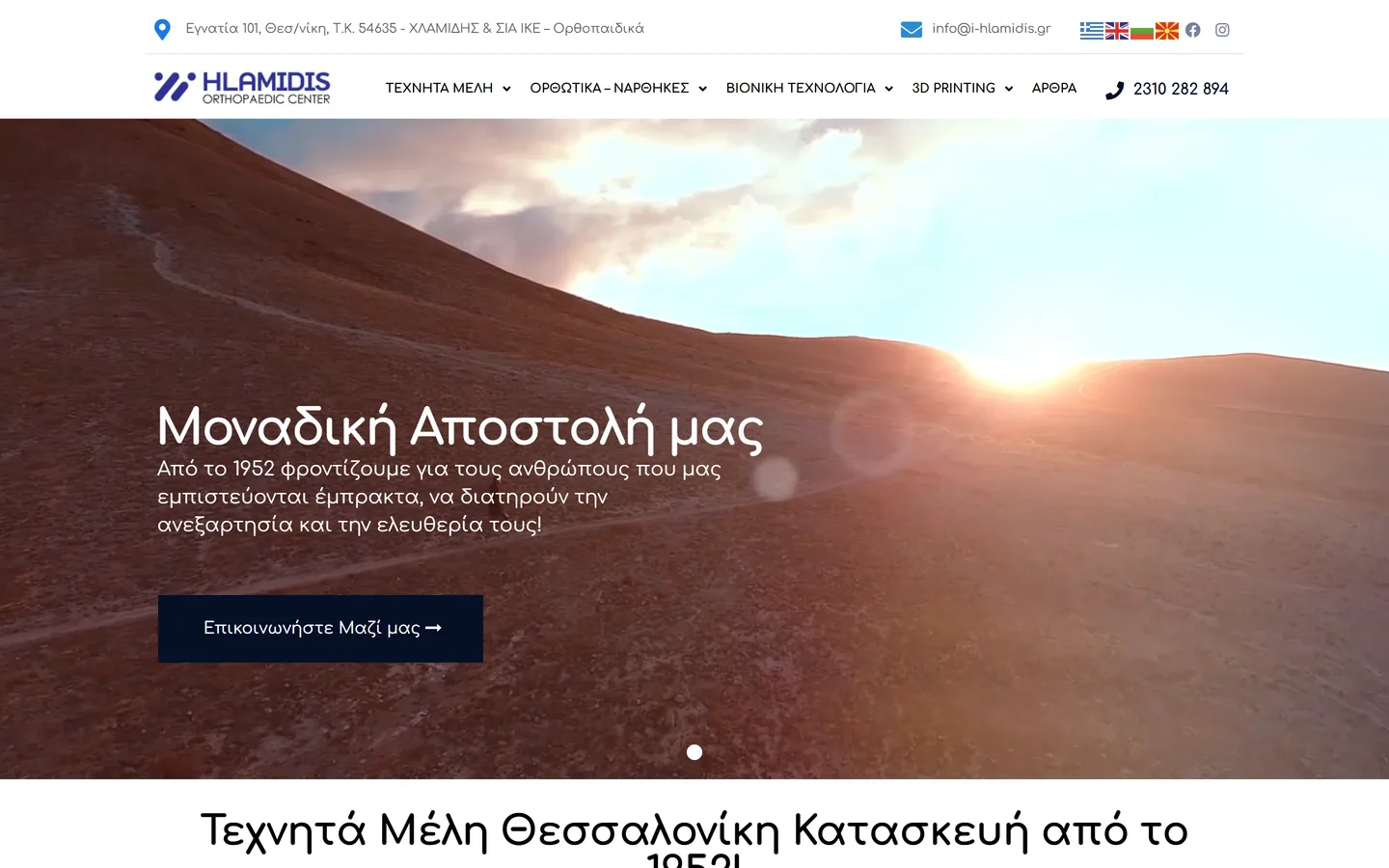
At Qbrains we have designed websites since 2000, including for healthcare businesses: Kilkis General Hospital, Chlamidis Orthopaedics and MediPharmacy.gr. For practices, dental clinics, diagnostic centres and group practices we follow a specific structure, described below, and one specific rule: everything written is informative, the doctor approves it, and it never asks the patient for health data through a form.
What should a practice website have?
The structure is almost always the same, because the patient's questions are the same. On the first screen: name, specialty, area and two buttons, "Book an appointment" and "Call". Then the doctor's profile: studies, specialisation, postgraduate training, membership of scientific societies, years in practice, with a portrait photo. Then the services and examinations, each with a few lines in plain language: what it is, who it is for, how to prepare, how long it takes. For diagnostic centres this section becomes a catalogue with a separate page per examination.
Next comes the practice: photos of the premises, map, directions by public transport and car, parking, floor and lift, wheelchair access. Beside it, the hours and the insurers: which private insurers you accept and, if you are contracted with EOPYY, you state it clearly. Then the Google reviews (pulled automatically from your profile), the frequently asked questions and, at the end, the appointment form. Each section also has its role in SEO: Google understands specialty, area and services from the structure, not from keywords stacked into one paragraph.
How does the patient book from the page?
Online booking is the section that makes the biggest difference to the practice's daily routine, because it moves appointments from the phone, which rings during examinations, to the evening, when the patient has time. The flow has four steps: the patient picks a service or reason for the visit from a list (e.g. "first visit", "follow-up", "ultrasound"), picks a day and time from the available slots, gives name and phone or email, and receives a confirmation immediately and a reminder 24 hours before, with the address and whatever they need to bring.
There are two ways to set it up. With automatic booking, the practice calendar is synchronised and the appointment is booked with no intervention, while the front desk sees and can correct everything. With request for confirmation, the form sends the request and the front desk confirms it, often with one click. The second suits practices with complex schedules or several doctors. In either case, the form asks nothing about the patient's health, and cancellations are made from the same link, so the slot can be filled from the waiting list. This is the foundation of appointment automation with AI.
What do the GDPR and medical ethics mean for a practice website?
Health data is a special category of personal data. The website must not touch it.
Forms with no health data
The appointment form asks for full name, phone or email and preferred time. No field for symptoms, history or medication. The free-text field, if any, carries an explicit instruction not to write medical information.
SSL, EU hosting, retention
Encryption across the whole site, hosting on a server inside the EU, appointment requests deleted once handled, and access only by the front desk with separate credentials.
Privacy policy & cookies
A privacy policy written for a medical practice, cookie consent before analytics or ad pixels load, and Consent Mode v2 so that measurement respects the visitor's choice.
Informative, not promotional content
The Greek Code of Medical Ethics (Law 3418/2005) sets limits on physician advertising. Texts stick to the facts: specialty, titles, services, hours, access. No promises of results, no "before and after", no offers.
Reviews without disclosure
Google reviews are shown on the site as they are. The practice's replies, which are public, never confirm that someone is a patient nor mention an examination or diagnosis, even if the patient wrote it themselves.
Accessibility (WCAG)
Colour contrast, font sizes readable by older patients, keyboard navigation, image descriptions. Patients with impaired vision or mobility are often the ones who need the practice most.
Why do speed, schema and the technical foundation matter?
Searches for doctors happen mostly on phones, often on 4G and often by people who are not feeling well. A page that takes five seconds to load loses the patient before they see your name. Our target is a page that passes Google's Core Web Vitals (LCP, INP, CLS) on mobile, with images in modern formats, no unnecessary plugins and hosting on a fast server, as we did for Kilkis General Hospital, whose homepage loads in 1.32 seconds with an A performance grade.
Schema.org is the way to tell Google, in a machine-readable form, what the page is. For a single-doctor practice we use the Physician type (name, specialty, address, phone, hours, coordinates, booking link), for group practices and diagnostic centres the MedicalClinic type with the doctors as members, and FAQPage for the frequently asked questions. Schema connects the page to the Google Business Profile and helps Google display hours and details correctly, but it does not replace content. It confirms what the page already says.
| Technical element | What it does for the practice | How we implement it |
|---|---|---|
| Core Web Vitals | The page opens instantly on a phone | Image optimisation, minimal JavaScript, fast VPS hosting |
| Physician / MedicalClinic schema | Google understands specialty, location, hours | JSON-LD structured data, linked to the Google Business Profile |
| Pages per service or examination | Visibility for searches beyond "specialty + area" | Informational texts with the doctor as author, date and sources |
| Online booking | Fewer phone calls, fewer forgotten appointments | Calendar or request form, confirmation and reminder by SMS/email |
| Consent Mode v2 & GA4 | Call and appointment measurement that respects consent | Cookie banner, unified measurement, no personal data in the tools |
| Maintenance & security | The site stays up to date and online | Updates, backups, monitoring, support |
As for the platform, in most cases we recommend WordPress with a lightweight theme of our own, because the front desk can change hours and announcements themselves. For diagnostic centres with hundreds of examinations or group practices with several doctors' calendars we consider a custom build. The decision is made during analysis, based on what the practice will need to change every week. See in general how we approach website development and hosting.
Free practice website review
Within 48 hours we send you what the patient sees on your site from a phone, what is missing from the structure, and whether your forms and tracking are in line with the GDPR.
What you get
- Mobile speed check (Core Web Vitals) and what slows it down
- Which of the eight sections a patient looks for before booking are missing
- Appointment form and cookies check: does it ask for health data? is there consent?
- Whether Physician / MedicalClinic schema is present and correct
How long does a practice website take?
Four to six weeks for a practice, a little longer for a diagnostic centre or group practice with many examination and doctor pages. The factor that determines the timeline is not the technical work but the approval of the texts by the doctor: every service or examination page has to be read and corrected by you before publication. That is why we send the texts in batches from the second week, not all at once at the end.
The photo shoot is scheduled when the practice is closed, takes about two hours and covers the entrance, waiting room, examination room, equipment and a portrait of the doctor. The same photos go on the Google Business Profile. Before launch we check speed, accessibility, schema, forms and tracking, and after launch we monitor the first data from Search Console and GA4 for two weeks. A practice website is not finished the day it goes live. It needs holiday hours, leave announcements, new examinations. That is why we pair it with maintenance.
How do we build a practice website?
Five steps, with the doctor approving every text.
Analysis & structure
We record services, examinations, insurers, hours and the questions the front desk gets on the phone. We check what currently shows for your specialty in your area. From these comes the site map.
Mobile-first design
Design for the phone first, with the booking button and phone number always visible, typography readable by older patients and colours with sufficient contrast. You approve the design before a single line of code is written.
Texts & photography
Informational texts per service and examination in plain language, with sources, which you review and approve. Photo shoot of the practice and a portrait. No promise of results, no "before and after".
Booking, schema & GDPR
Online booking with confirmation and reminder, forms with only name, contact details and time, Physician or MedicalClinic schema, privacy policy, cookies and Consent Mode v2, call and appointment measurement in GA4.
Checks, launch & maintenance
Core Web Vitals, accessibility and schema checks, redirects from the old site, Search Console submission and linking to the Google Business Profile. Then maintenance so that hours and announcements are always correct.
A website that books appointments while you see patients
Request a proposal for the website of your practice, dental clinic or diagnostic centre.
Request a Proposal →Frequently asked questions about practice websites
What doctors ask before we start.
What should a medical practice website contain?
Can patients book appointments online?
What data does the form collect and how is the GDPR respected?
How long does the website take?
Who writes the texts about conditions and examinations?
What is Physician schema and why is it needed?
Do we need to photograph the practice?
Our work in healthcare
Healthcare businesses we have worked with: a public hospital, orthopaedic products and a pharmacy. They are not medical practices, but the work (website, speed, SEO) is the same work a practice needs.

Free guides for your practice
What we use ourselves, in the open.
 Local SEO
Local SEO & Google Business Profile
How a practice with a map pin and reviews gets found for "specialty + area" searches.
Read more → SEO & GEO
SEO & visibility in ChatGPT and Gemini
How a practice shows up when the patient asks an AI engine instead of Google.
Read more → Web
WebWebsite development & Core Web Vitals
How we build fast, accessible websites and what speed means for a page found on a phone.
Read more →Specialised services for doctors
See also.